

This article was originally a speech for TEDxMichiganAve delivered by David Dombrosky on May 7, 2011 in Chicago, Illinois.
One of my favorite quotes comes from Confucius. He said, “Tell me, and I will forget. Show me, and I may remember. Involve me, and I will understand.” This quote has become one of my touchstones because it reminds me that: life is experiential, and the most resonant experiences in my life were ones in which I was an active participant. The first time I sang a solo for a public audience. Writing and performing a solo theatrical performance in college. Learning how to tango earlier this year.
If the arts community agrees that we want audiences to have deeply resonant experiences with the arts, then the question arises, “How can artists and arts organizations go beyond telling their audiences about the work or showing the work to patrons and actually INVOLVE them in the work?”
Technological advances over the past decade have propelled us into a highly participatory culture, wherein individuals no longer simply consume culture, but they now actively produce and contribute to culture. In 2006, media scholar Henry Jenkins and his colleagues published a white paper entitled Confronting the Challenges of a Participatory Culture in which they described five defining elements for participatory culture.
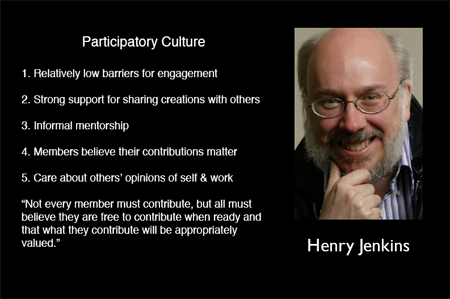
- Jenkin's 5 Traits of Participatory Culture. Image from OpenParenthesis.org
With this article, I would like to address the question of how artists and arts organizations can involve audiences in their work by highlighting how a number of artists and organizations exemplify the defining elements of participatory culture.
#1 – “A participatory culture has relatively low barriers to artistic expression and civic engagement.”
We see evidence of this every day. The number of free web tools and mobile apps that have been released over the past decade is astronomical. With each successive release, the barrier to artistic expression and engagement is lowered that much more.
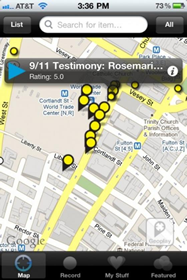
One recently released, free tool called Broadcastr allows people to record 3-minute audio segments and pin them to specific locations on a map that is available on their website as well as through their mobile application.
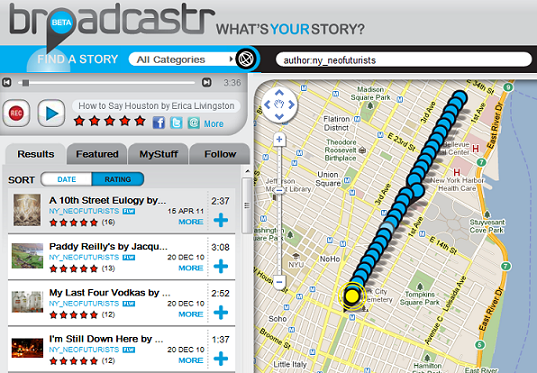
Many of you may know the Neo-Futurists, a theatre performance group originally established here in Chicago. Their New York City chapter has a show called Too Much Light Makes the Baby Go Blind which contains 30 plays performed in 60 minutes. Earlier this year, they used Broadcastr to create 30 plays in 30 blocks. So if you go to Second Avenue in Manhattan, you can walk from Houston Street to 29th Street and experience 30 location-specific, interactive pieces of audio content. Some of them direct you to do things, some of them are little songs, some of them are plays with multiple voices, and some of them reference their locations very directly.
The technology required to do this? Either a computer with speakers and a microphone OR a smartphone. That’s it.
#2 - A participatory culture has strong support for creating and sharing one’s creations with others
Over the past two years, choral composer Eric Whitacre has worked with singers from around the world to create “virtual choirs” for the performance of his compositions. Participating singers download a PDF version of the sheet music for their vocal part. They watch a YouTube video of Whitacre conducting the music, record their vocal tracks, then send the tracks to Whitacre for final editing. Whitacre and his producer then combine all of the vocal tracks together into a single audio composition and syncs it with a video featuring a virtual riser with the floating faces of each of the singers performing the piece.
His most recent virtual choir composition entitled “Sleep” features 2052 singers from 58 different countries. As of today, the video has been viewed nearly 500,000 times on YouTube. His 2009 virtual choir composition “Lux Aurumque” has had over 2.4 million views.
#3 - A participatory culture has some type of informal mentorship whereby what is known by the most experienced is passed along to novices
One organization which exemplifies this element is the San Francisco Symphony. With their Community of Music Makers program, the symphony serves amateur adult musicians and promotes active participation in music-making and lifelong learning. Community of Music Makers includes workshops and events for amateur vocalists and instrumentalists in symphony’s performance hall, where participants are able to improve their skills. They also receive live and online coaching sessions from the symphony’s musicians and artistic staff. A chamber music convening service serves as a clearinghouse to help individual players and ensembles connect each other and identify performance opportunities in the local community.
The lesson here? Learn to love amateurs as they are likely to be a strong core from which to further develop your audience.
#4 – In a participatory culture, members believe that their contributions matter.
The Brooklyn Museum pioneered crowd-curation in 2008 with its photography exhibition Click! First launched through an open call for artists to submit photos related to the theme of “The Changing Faces of Brooklyn,” the artwork was then made available online for anyone to curate. This year, they are taking another spin on this concept with the exhibition Split Second: Indian Paintings, which invited the Brooklyn Museum’s online community to participate in a project that will result in a small installation of Indian paintings from the Museum’s permanent collection in July 2011.
The first stage of the project explores split-second reactions: in a timed trial, participants were asked to select which painting they prefer from a randomly generated pair of images. Next, participants were asked to write in their own words about a painting before rating its appeal on a scale. In the final stage, participants were asked to rate a work of art after being given unlimited time to view it alongside typical interpretive text. Each part of the exercise aims to examine how a different type of information—or a lack thereof—might affect a person's reaction to a work of art.
Once the exhibit opens in July 2011, visitors will be able to view a small selection of the paintings that generated the most controversial and dynamic responses during the evaluation process, accompanied by a visualization and analysis of the data collected.
With both of these experiments from the museum, the online participants had a clear understanding of how their contributions would matter to the overall project.
In April of this year, choreographer Jonah Boaker debuted FILTER at the Ferst Center for the Performing Arts at Georgia Tech University in Atlanta. FILTER explores how the audience can serve as a collaborative filter for the performance through the use of a mobile application.
Boaker worked closely with students from the university’s Music Technology Program to develop MassMobile, a smartphone app that acts as an interactive platform for audience members to participate by affecting the stage in different ways. Boaker’s approach to participation actually allows the audience to co-create the artistic experience in real-time.
#5 - In a participatory culture, members feel some degree of social connection with one another
Okay, so my absolute favorite exemplar of this element is the MP3 Experiment created and hosted by Improv Everywhere in New York City. Begun in 2003, the concept is quite simple. Improv Everywhere puts an original mp3 file online (usually around 45 minutes long) that people download and transfer to their iPods. Participants then: synchronize their watches to a clock on the organization's website, venture out to the same public location, and blend in with the crowd. At the predetermined time, everyone presses play. Participants then carry out coordinated instructions delivered to their headphones via narrator “Steve,” and everyone around them tries to figure out what in the world is going on.
In 2010, over 3,000 people participated in a MP3 Experiment in Midtown Manhattan. The event started in retail stores and progressed to Bryant Park for the narrator’s surprise birthday. The event ended with a massive toilet-paper-mummy dance party.
The next Mp3 Experiment in New York is scheduled for July 16, 2011. Stay tuned to the Improv Everywhere site if you're in New York and wish to participate.
Something to consider about all of the artists and arts organizations that I’ve mentioned here is that they all invite the audience to play.
As an industry, we have spent so much of our time playing FOR the audience or playing TO the audience. In order for our sector to thrive in this participatory culture, we must now invest a significant amount of time and energy exploring ways to play WITH the audience.
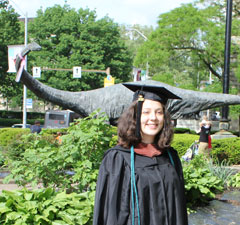 After two years writing for Technology in the Arts, I am leaving the Center for Arts Management and Technology. The unfortunate part about being a graduate student is that you will have to leave a place you love after a certain number of years, and my number is up! Special thanks to David and the rest of the CAMT staff for making the last two years amazing, educational, and memorable.
I am very excited about my new position with the data-driven arts and entertainment consulting firm TRG Arts. I have been hired as the Strategic Communications Specialist, which means I will serve as a writer and editor for the firm’s consulting projects, Data Lab research and analytics projects, and a contributor to TRG’s knowledge center online.
After two years writing for Technology in the Arts, I am leaving the Center for Arts Management and Technology. The unfortunate part about being a graduate student is that you will have to leave a place you love after a certain number of years, and my number is up! Special thanks to David and the rest of the CAMT staff for making the last two years amazing, educational, and memorable.
I am very excited about my new position with the data-driven arts and entertainment consulting firm TRG Arts. I have been hired as the Strategic Communications Specialist, which means I will serve as a writer and editor for the firm’s consulting projects, Data Lab research and analytics projects, and a contributor to TRG’s knowledge center online.
 GuideStar
 The last part of our series concerns making management decisions based on data. Once you have the data, what do you do with it? As we come up with more sophisticated methods to track social media sentiment and reach, it becomes possible to track more accurately how people are responding to social media. This is especially important because social media can be a valuable part of your market research. It is like a 24-hour focus group, answering many of the questions you may have about your audience as well as the questions you didn’t think to ask.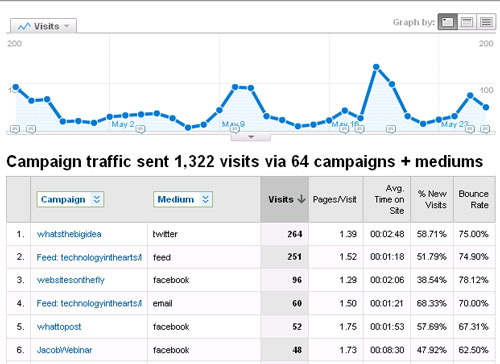
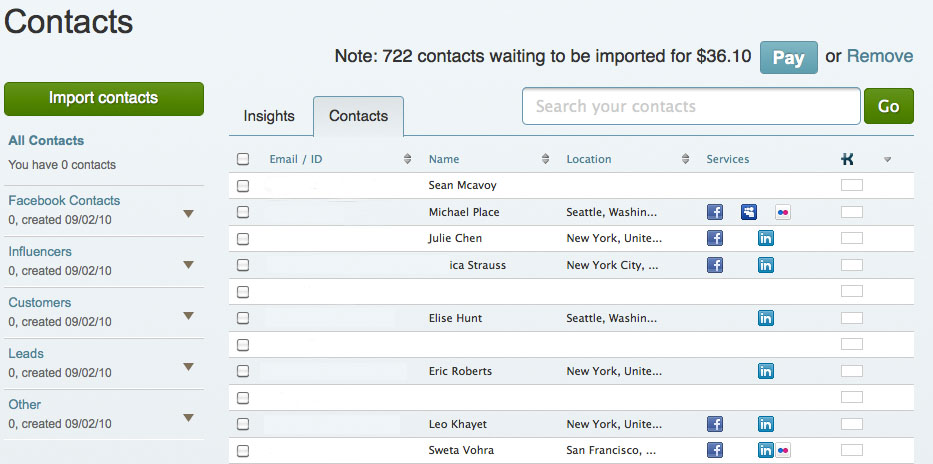
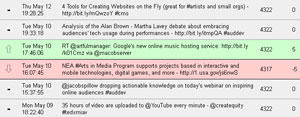
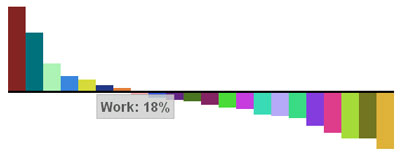 Facebook Analytics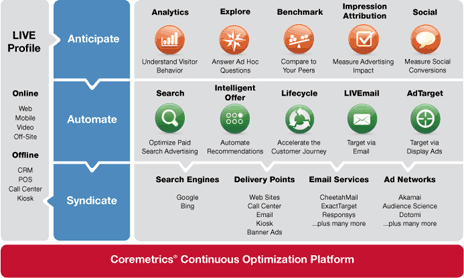
 Recently, I’ve been hearing about website creation platforms for artists, musicians, and designers. (They are also great for student portfolios!) These days, many people are starting to focus their efforts on mobile apps or websites, but still more may lack a functional, easy-to-use website in the first place or need a secondary site, like a company intranet or a micro-site for an exhibit or show.
I’ve found four that are worth checking out if you’ve been thinking about creating a website. The interfaces for these website creation platforms are very easy to use, with no coding required. If you have all your copy ready and your songs or artwork prepped, you can create a professional-looking website in about an hour, hosted by the site. Many of them are cheap or even free. Here’s a four tools for creating a website on the fly:
Recently, I’ve been hearing about website creation platforms for artists, musicians, and designers. (They are also great for student portfolios!) These days, many people are starting to focus their efforts on mobile apps or websites, but still more may lack a functional, easy-to-use website in the first place or need a secondary site, like a company intranet or a micro-site for an exhibit or show.
I’ve found four that are worth checking out if you’ve been thinking about creating a website. The interfaces for these website creation platforms are very easy to use, with no coding required. If you have all your copy ready and your songs or artwork prepped, you can create a professional-looking website in about an hour, hosted by the site. Many of them are cheap or even free. Here’s a four tools for creating a website on the fly:
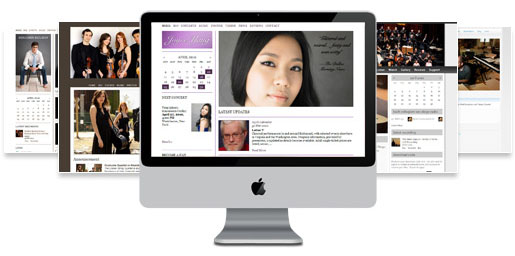 For those of you who are still hung up on the Flash-iPhone compatibility issue, I have two tools for you: InstantEncore’s Maestro WebBuilder and WordPress.
 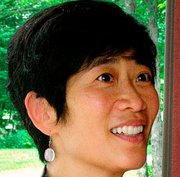 Connie Chin is General Manager of Jacob’s Pillow, an international dance festival, school, archives, community programs, and National Historic Landmark, which recently was awarded the 2010 National Medal of Arts. At the Pillow, Connie’s special projects have included Virtual Pillow, the Nonprofit Finance Fund's Leading for the Future initiative funded by the Doris Duke Charitable Foundation, and the Wallace Foundation’s Leadership and Excellence in Arts Participation initiative. She has consulted as a Peer Advisor for the Massachusetts Cultural Council, and served on grants panels in Connecticut and Westchester. Prior to the Pillow, she was in brand management at Kraft and Ocean Spray; and has also worked at the San Francisco Ethnic Dance Festival and New York Foundation for the Arts. As a dancer she has performed with Bill T. Jones, Jawole Willa Jo Zollar, Muna Tseng, Sincha Hong, Ze'eva Cohen, and others. Connie holds a B.A. from Harvard College and an M.B.A from Yale School of Management.
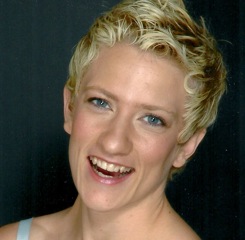 Lisa Niedermeyer is an independent consultant currently managing digital projects for Jacob's Pillow, home to America's longest running international dance festival. Lisa also serves on the advisory board of Movement Media, a NYC-based organization that empowers dance artists as curators, creators, and strategists of media. Past project highlights include working with the online marketing team at Soundwalk, an international media firm specializing in sound art and iPhone audio tours, as well as collaborating with Jane Comfort and Company (with whom she performed for 7 years) as digital content director for the company's 30th anniversary rebuild of their website.
 A few weeks ago I wrote a post on some of the latest updates to