

Changing The Way You See With Augmented Reality

When looking ahead at what will be the most exciting technology for the arts in the coming year, augmented reality is bound to pop up in the conversation. You may be familiar with augmented reality already. The National Football League has taken advantage of this technology for years to project lines of scrimmage and game time information onto the field in real-time during television broadcasts. So what exactly is augmented reality (AR)? According to Wikipedia:

Augmented reality (AR) is a term for a live direct or indirect view of a physical, real-world environment whose elements are augmented by computer-generated sensory input, such as sound or graphics.

AR layers digital elements on top of our view of the everyday world. This overlay can be done in a number of ways: through the use of handheld devices like smartphones, through desktop computers with a webcam, by wearing specialized headsets, or by projecting a digital images/animations onto a real world location.

Since AR has the possibility to create such a unique visual experience, it naturally has attracted adopters from the creative community. Here are just a few cool projects taking advantage of AR:

DIY Day MoMA – Augmented Reality Art Invasion! On October 9th, 2010, Sander Veenhof and Mark Skwarek decided they would circumvent the traditional art world and host their own exhibition at the Museum of Modern Art using AR. The artists took advantage of the augmented reality viewer app Layar, currently available only on iPhone and Android devices, to create a virtual exhibition of digital works. By downloading the Layar app and loading the “AR Exhibition” layer, anyone with a camera-enabled smartphone or mobile device can view numerous digital artworks throughout MoMA. This includes both 2-D and 3-D images and animations and an additional 7th floor that only exists in the world of AR. The digital artworks have continued to be on display since DIY Day wrapped up in October.
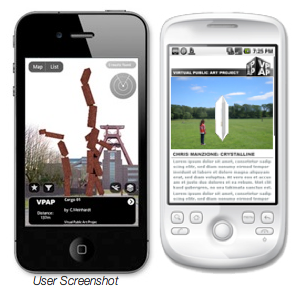
A user view of the VPAP AR layer on both an iPhone and an Android. Image courtesy of VPAP.

The Virtual Public Art Project Also utilizing the Layar app, the Virtual Public Art Project (VPAP) takes the idea of AR artworks one step further by placing pieces around the globe. The artworks can be viewed in the round and from multiple perspectives, just as you would be able to with a real piece of public art. Check out some of the current works on display on VPAP’s website . If you’re interested in creating your own piece of AR artwork for the public, VPAP puts out multiple calls for submissions.               

The Macula Project – Mapping 600 years of history The Macula Project is comprised of a group of artists exploring the relationship between image, sound and the viewer. The city of Prague was searching for a way to celebrate the 600th anniversary of the astrological clock tower situated in the center of the city and turned to the Macula Project for a creative solution. The artists at the Macula Project turned to AR for the project and projected this stunning work that took the audience through the 600-year history of the clock tower.  Macula was able to achieve this by digitally mapping the building beforehand and tailoring their animation so when it ran through a digital projector, the perspective lined up perfectly with the real life clock tower.               

The Getty Museum – Exploring the Augsburg Display Cabinet in 3-D If there is one frustrating roadblock shared across the gamut of art lovers, it’s the frustration over not being able to personally handle and explore a piece of art in a museum. The Getty Museum understood this burning desire and took advantage of AR technology to let their visitors have a more in-depth exploration of one of the pieces from their decorative arts collection. Using an online program launched within a web browser, a computer’s built-in webcam, and a printed out “AR tag”, an art lover can handle a 3-D model of a 17th century collector’s cabinet. By rotating and tilting the AR tag, the cabinet will spin 360 degrees and various doors can be opened and explored.                A student examines a box in the exhibition that is covered in AR tags. Image courtesy of the University of Groningen.

The University of Gronigen – Giving students X-ray vision Part of a permanent exhibit in their Hall of the Bernouilliborg, the University of Gronigen teamed up with Science LinX and Nanopodium to create a unique science experience for their students. The exhibit is comprised of multiple boxes covered with AR tags. By wearing a special set of glasses containing display screens and a camera, the boxes’ walls suddenly disappear for the user. The user can then tilt and turn the now ‘hollow’ box that contains various types of 3-D science-related models, such as a model of a chain of molecules.

The types of projects that are now possible with augmented reality are rapidly growing and the technology is some pretty exciting stuff to play with. But beyond the wow factor that comes with AR, what are some of the ways that arts organizations can use this technology in worthwhile and innovative ways? Can AR extend to projects beyond the visual arts? Are there ways that this technology can be used to engage with large audiences as well as the individual? I don’t think it is too far a stretch of the imagination to envision actors on stage reacting to digital props or musicians playing digitally created instruments. As with any new tech, it will be exciting to see how AR develops and continues to merge our reality with a digital one.
Google Apps: Cost Effective Tools For Your Organization

google_appsFor smaller arts organizations and individual artists, buying various types of management software packages and setting up services for data back-up and storage can really eat into what may already be a tight budget. But having these software and services are essential to efficient, day-to-day management. This is where Google Apps could be a great, free to low-cost solution.

Google Apps is a suite of online software and storage tailored to the needs of organizations of different sizes. All of the apps (you can see a list of the core apps here) operate within your internet browser. This means that there is no software to be installed on your organization’s machines. This also means that updates and IT maintenance for the software will be handled for free by Google, though the service varies depending on which package you select.

If there is a more specialized need such as CRM or photo editing, Google Apps for Business comes with its own app marketplace.  Similar to the app stores for iPhone and Android, the marketplace has a variety of free, more specialized applications to add to your Google account. All of the apps are desktop applications, but many of them work for both desktop and mobile devices.

So using apps that run in an internet browser are nice, but where is the information saved? While you can save your information to a personal computer or device, data storage and back-up can also take place in cloud storage. One of the main advantages to cloud storage is that your data can be accessed from any computer with an internet connection. It is important to note that storage only comes with a Google Apps for Business account.

I will admit that some of these Google apps do not have the same depth and power as other software packages, like the Microsoft Office Suite, but they definitely get the job done and fill the majority of the needs for most day-to-day operations. If the specific utility you need isn’t available in one of the core apps, you can usually find what you need in the marketplace.

There are three different types of accounts :

  • Google Apps (up to 50 accounts) - This option is free and allows your organization to add up to 50 user accounts. Comes with the basic core of google apps, but lacks some of the more specialized business features and support as the other options.
  • Google Apps for Business - The business version comes with all of the amenities including apps, storage and support. The pricing of this version is based on how many users you have in your organization, each user added costs $50 per year.
  • Google Apps for Nonprofits - While this option does not come with storage, it is more robust than the free version, plus customer support is offered. Google grants discounts (40%) to larger non-profits, of 3,000 or more, for the business version and offers smaller non-profits the education version for free.

So for many organizations that operate on smaller staffs and for individual artists, this is an extremely cost-effective way to get some quality management software and storage.

Top Technology Trends: What’s Ahead for Arts Marketers in 2011

This post also appears as a featured article on artsmarketing.org, hosted by Americans for the Arts.

In this tough economy, most of us have encouraged ourselves and others to look ahead to brighter times. But, what exactly lies ahead in the next year for us? How can we make the most of our future?

In 2010, technology influenced our field tremendously. Some predicted trends, like Google Wave and Google Buzz, failed to take off, and many unexpected trends, like group-manipulated pricing and Ask a Curator, flourished. The following are some major trends that have gathered momentum in the past year and/or are poised to take off in 2011:

Group discounts and group-manipulated pricing Group discount sites exploded in popularity in 2010. While many organizations have a group sales manager or special deals for groups, these sites allow people to opt in to a deal that will only go live if enough people opt in, encouraging people to sell to their friends. Groupon now boasts 35 million subscribers and 18 million Groupons sold in North America. However, marketers question their ability to attract repeat visitors. Now that the initial novelty has worn off, hopefully the knowledge we’ve gained will result in smarter offers. I recently heard from a colleague about a ballet company that didn’t cap their Nutcracker offer and lost revenue on their offer.

Since the advent of these group-buying applications, many variants have cropped up. For example, Uniqlo’s Lucky Counter makes clear to the consumer the advantage of group buying, by lowering the price on the offer in real-time as more people sign up. Arts organizations also started implementing dynamic pricing, similar to the way in which airlines price their tickets.

iPhone sunset in the Andes by Gonzalo Baeza Hernández via Flickr.

Go mobile or go home: mobile app development and mobile ticketing In 2010 Wired reported “The Web is Dead”, meaning that the way people use the Internet is moving away from web access on a desktop or laptop computer to mobile applications. Arts organizations have started asking themselves if their website is mobile friendly and, along with companies like InstantEncore and Pop Media, have started to develop apps.

Pop Media has developed Cloudtix, which uses Tessitura to sell tickets in real time through mobile apps and download a scanable ticket to their phone.

Bill Predmore of Pop Media compares the rise of mobile apps this year to website development in 1997.  “Arts orgs started out with a ‘brochure site’ and slowly began to evolve as they realized their capabilities. Things will happen a lot more quickly this time.”

So if the web is dead, which is worth more investment: mobile websites or mobile apps? And if you are going to develop an app, which platform do you develop it for? While Apple’s iOS devices (including iPad, iPhone, and iPod) still outnumber Android devices, Android phones have overtaken iPhones in terms of market share.

Predmore advises companies to begin to look into all three: iOS, Android and mobile websites. “Things are changing rapidly and it’s difficult to know what’s going to be there a year from now. For this reason, many organizations are reluctant to make an investment. But patrons are going to expect you to be there and if you’re not, there’s a problem.”

Changing media consumption At the same time that Internet usage is shifting to mobile devices, the way audiences consume entertainment is changing. The introduction of tablet-style devices like the iPad  and 4G-capable phones running on Android means more people are consuming mobile entertainment, especially video , than ever before. iPad users are also more likely to complete video ads (63%) than desktop video viewers (53%).

In the past several years, performing arts organizations have started taking their performances outside of the theater and concert hall with initiatives like the Met’s Live in HD, San Francisco Opera’s Opera in the Ballpark, and most recently, L.A. Phil Live. In 2010, we saw a shift to more online streaming video. Sites like Tendu TV and classicaltv aggregate video of performances. Streaming on platforms like Livestream has become more commonplace, notably Chris Elam’s efforts with Misnomer Dance Theatre.  Recently YouTube announced that it would offer live streaming to its content partners, several of which are arts organizations.

Are you in the cloud? Photo: James Jordan via Flickr.

The privacy debate Consumers are becoming increasingly aware of how they are being tracked by marketers. At the same time advertisers are under more pressure than ever monetize their online investments as they cut offline budgets. Last year was notable in that two major companies have made privacy faux pas: Facebook over profile information and Google over Buzz. These controversies as well as the rise in location-based apps and ever-nichified Facebook ads have made people more aware of exactly how much information marketers have about them. (If you want to know how much personal information marketers know about you, check out rapleaf.com .

How does this apply to arts orgs? At the same time these privacy concerns have surfaced, arts organizations are being persuaded to move to shared service models, in which databases may be shared by multiple organizations, or have started using other platforms which use cloud computing (where the organization’s data is stored on outside servers). As patrons become more aware of where their information is stored, employees also worry about the security of cloud computing. At the same time, they wonder how secure their database was in the first place. Bottom line: arts organizations should remember that it is crucial to be transparent about their privacy policies to patrons.

Rise of location-based social media No discussion of arts and technology in 2010 would be complete without mentioning location-based platforms like FourSquare, GoWalla, Facebook Places, and Google Latitude. Foursqaure was up 33.2 million users in 2010 from 12.3 million users in 2009.
Arts organizations, most of which position themselves as serving local community, are starting to understand the potential for hyper-local platforms like this. Location-based applications are increasingly attracting young, urban influencers with disposable income—precisely the audience many arts organizations are trying to attract. People connect to geolocation apps primarily to “get informed” and “obtain promotions” rather than “to compete” to become mayor of their favorite locations.

2011 will likely determine which “check-in” application will dominate. As of November 2010 Facebook Places had 7 times more users than FourSquare, but Places users utilize the service less frequently. So, which platform will win out? Independent companies like GoWalla and FourSquare, or platforms emerging from established networks and services like Facebook and Google?

What do you think were the biggest trends in arts marketing in 2010? What do you see ahead for 2011?

10 Arts and Culture Mobile Apps from 2010

Merely half a day away from the end of the year, today is a great day to reflect on all the different happenings in 2010. One of the big things I have been looking back on is the growth of useful mobile apps for arts and culture audiences and managers. Here is a look at ten of these apps from the past year selected by the Technology in the Arts team and you, our lovely readers:

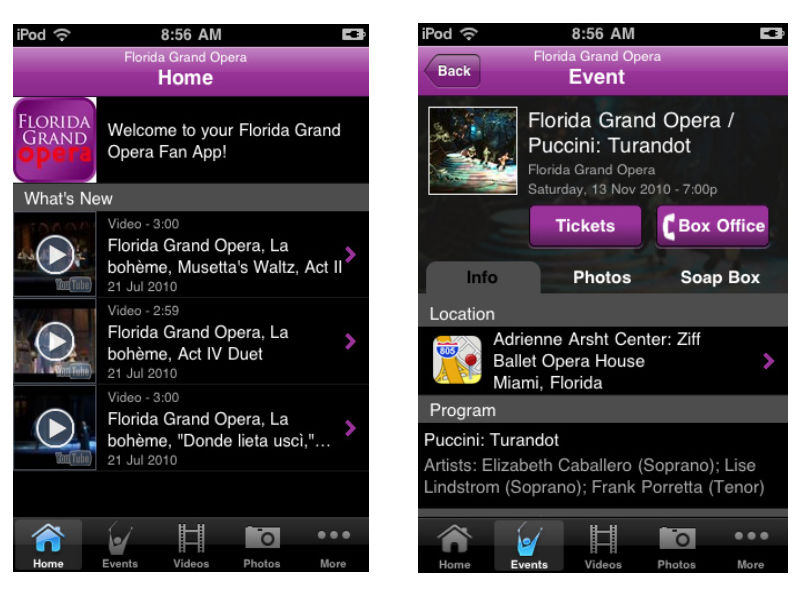
The Florida Grand Opera | FREE

Available for: iPhone, AndroidFGOThe Breakdown: A great app for the Opera lover in us all, the Florida Grand Opera app offers news about the company, events updates, listings of upcoming performances, and streaming audio of the 2010-2011 season. One aspect of the app I really enjoyed was the videos section, containing a multitude of interviews and performances from the FGO. The only real complaint I have about the app is the necessity to sign up for updates from FGO before being allowed access into the app.
Google Goggles | FREE

Available for: iPhone, Android

goggles_artwork

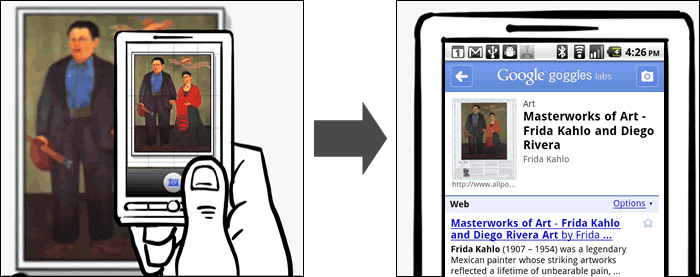
The Breakdown: Google Goggles is a visual search engine built into a mobile app. It utilizes your smartphone's camera to capture and scan an image, object, or landmark and perform a search online to provide information on it. This is a very fun app to play around with and can be very helpful when trying to identify an artwork without a clear label or an unknown landmark. The app is still in beta though and cannot identify anything that is not already currently online in some form.

The L.A. Phil | FREE

Available for: iPhone, Android, & Blackberry

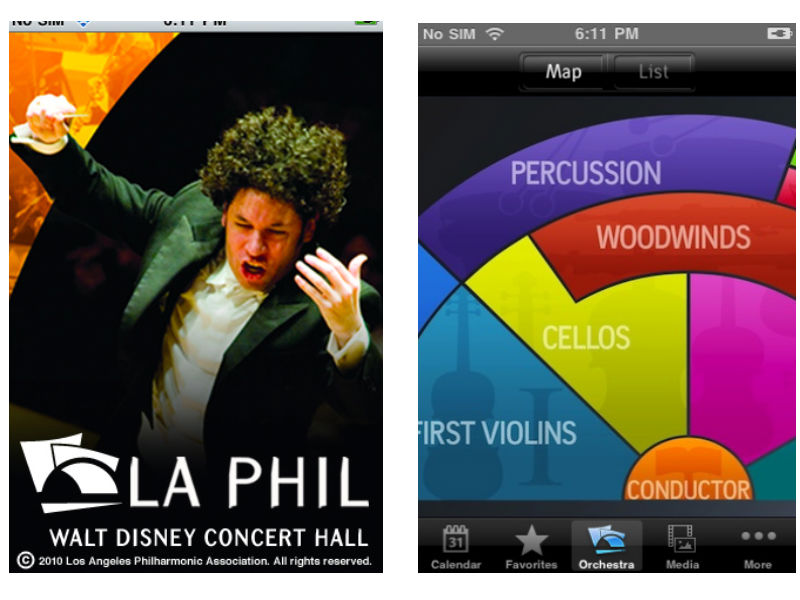
laphilThe Breakdown: The LA Philharmonic app has a lot of same offerings as the Florida Grand Opera app in terms of news, media, and listings of events. What sets this app apart is the interactive Orchestra map, laying out the different groups of muscians in the LA Phil. When a user taps on a section of the orchestra, such as First Violins, they are directed to profiles of each musician with in-depth biographies. This app is packed full of great content and an excellent way to learn more about classical music and the people that perform it.
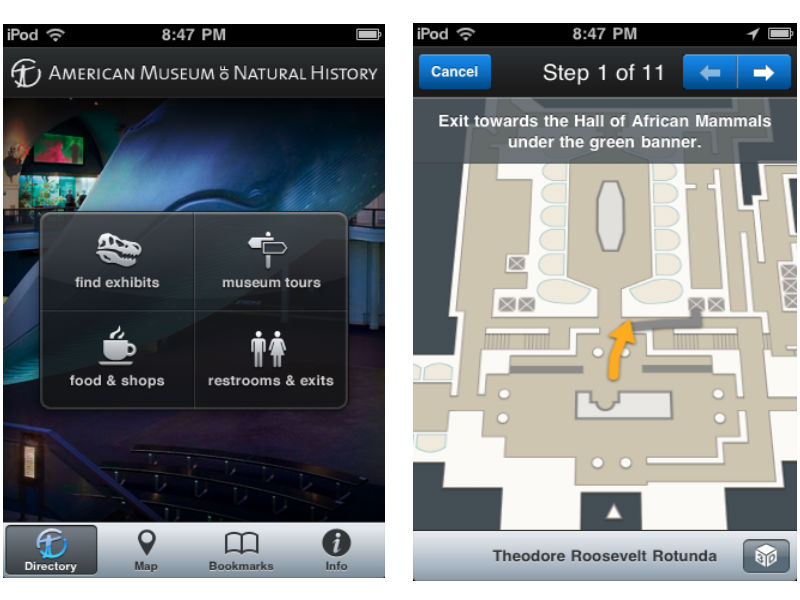
AMNH Explorer | FREE

Available for: iPhone

AMNHThe Breakdown: The Explorer app from the American Museum of Natural History is a great guide for navigating a very large museum. The app acts as a personal in-museum GPS, finding your location and providing information on the exhibits within that area. The app can not only find your location, but provide turn-by-turn directions from one exhibit to the next. This may go against some museum purists love of getting lost within a museum, but on a busy day in a museum packed with visitors this app could be an incredible advantage.
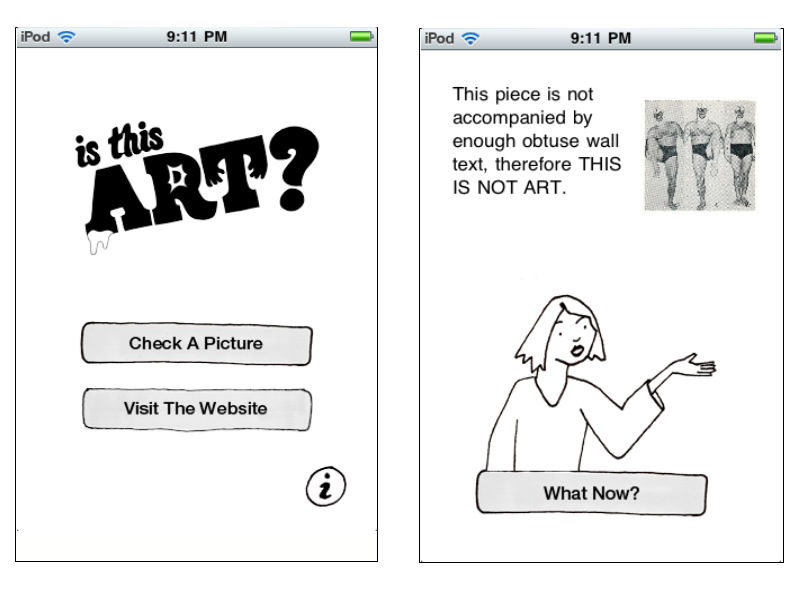
Is This Art? | FREE

Available for: iPhone

IsThisArtThe Breakdown: A fun app from the folks at Deeplocal and the Mattress Factory, Is This Art? is one way to win those age old arguments about what is and isn’t art. Users snap a picture of the art in question and open it within the app to test its validity in the art world. The explanations the app gives are often hilarious such as, "This makes me feel intellectually inferior, therefore THIS IS ART" and, "This piece is not accompanied by enough obtuse wall text, therefore THIS IS NOT ART". All of the images users put to the test can be uploaded to the project's ongoing blog.
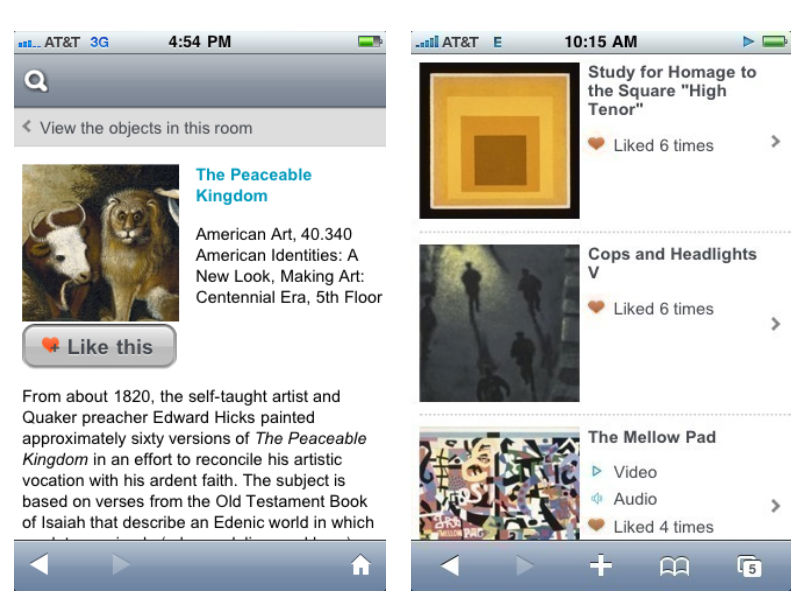
Brooklyn Museum Mobile | FREE Available for: iPhone, Android, & Blackberry bklyn

The Breakdown: Another great app for a large museum, Brooklyn Museum Mobile has less of a focus on navigation and more on community and interaction. The app brings in aspects from social media by inviting users to add descriptive tags and/or "like" artworks from the collection. This acts as a recommendation system for other visitors and encourages a more participatory experience. The aspect I like about Brooklyn Museum's offering is that the app runs off of a mobile website, meaning that it is not device exclusive and anyone with a web-enabled device can join in the fun.

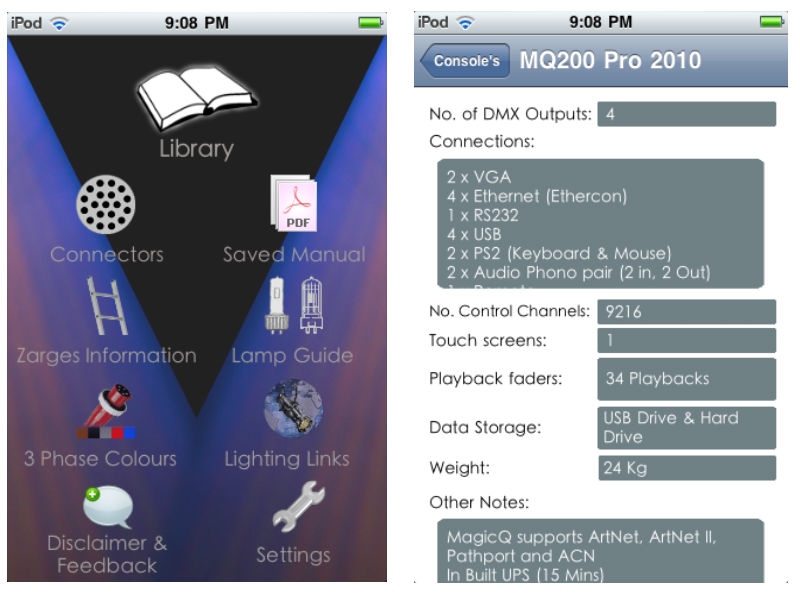
The Lighting Handbook | $4.99

Available for: iPhone

LightHandBookThe Breakdown: This is a great app for all of you theater techies. The Lighting Handbook is exactly what it sounds like, an in-depth guide to all things lighting, conveniently in your pocket.
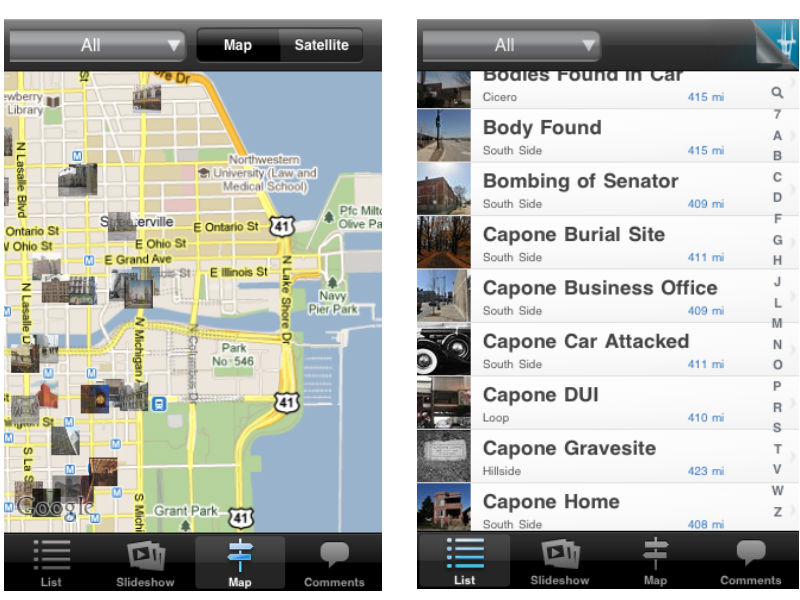
Chicago Gangland Tour | $2.99

Available for: iPhone

Capone

The Breakdown: Ever wanted to walk in the footsteps of famous gangster Al Capone? That's exactly what the Chicago Gangland Tour app helps you do, integrated with google maps to give users a handheld guide for a historical walkthrough of Chicago's mafia history. This app provides info on all the different sites historical relevance and invites users to add their own comments. My favorite aspect of the app is the drop-down menu where results can be sorted by subjects like murders, shootouts, and gangster hideouts.

At The Booth | $0.99

Available for: iPhone, Android

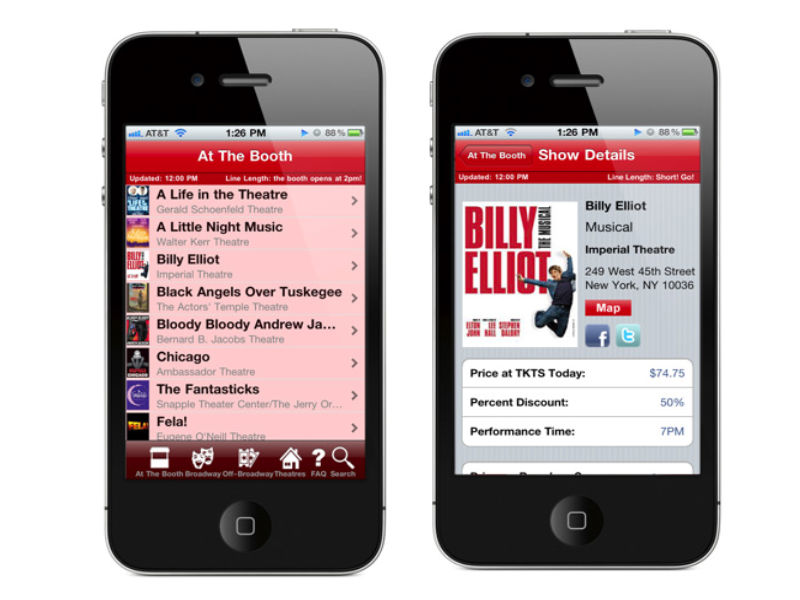
atboothThe Breakdown: At The Booth is a full-service app for attendees of Broadway and Off-Broadway shows in New York City. The main page updates with every launch of the app and includes the latest shows and theater locations. For each show the app provides info on the showtimes, ticket prices, discounts, synopses, links to reviews and videos, and nearby restaurants. Listings will appear with a pink undertone to let users know if there are long lines at the theater. The only real complaint I have about the app is that the listings are only viewable in list form, whereas a map option would really assist in seeing all that is available in the immediate area.
The Sundance Festival 2010 | $4.99

Available for: iPhone

Sundance-iPhone-screenshot-small-738392

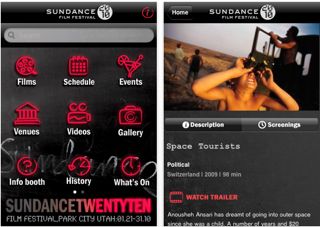
The Breakdown: The Sundance Festival app acts as an online brochure for the annual film festival. In addition to offering videos and reviews on films being shown, the app gives festival attendees real-time updates as to what is happening with the film fest's various events and screenings. The one feature that this app lacks is a way to create custom schedules of screening times and events. This would be invaluable at a festival where multiple things are being offered at once and making the most of the your time requires a lot of planning.

Best of Technology in the Arts 2010 -- David's Favorites

As we move into 2011, it's time to take a look back at my favorite articles and podcast episodes from Technology in the Arts in 2010.

My Top 10 TITA Articles (in chronological order)

1. Building Audience Diversity Through Social Networking - Part 1, Part 2 and Part 3 -- Amelia investigates why arts organizations use certain social networking sites but not others (such as ethnically specific sites like Black Planet) and what impact this has on their ability to use social networking as a tool for building diverse audiences. [Okay, okay...I'm counting this three-part series as one really looooonnnggg article.]

2. SEOoooo….what? Improving your organization’s search engine optimization. -- Corwin takes a look at search engine optimization: what it is; why it is important; and what you can do to optimize it for your website. [And it was published on my birthday, which makes it extra special.]

3. Micro-donations: Proving Size Doesn’t Always Matter -- Joe highlights reasons and tips for starting a micro-donation campaign for your organization.

4. Social Media Spotlight: Vancouver Opera -- Amelia kicks off our Social Media Spotlight series by interviewing Ling Chan, Social Media Manager for the Vancouver Opera, about her social media strategy and experiments.

5. Online Group Discounts and the Arts - Tara unearths some of the buzz around the use of online group discount sites like Groupon and Living Social.

6. Is your organization engaging older adults through social media? -- Molly questions our assumptions about social media sites as places to primarily engage younger audiences.

7. Going Mobile - Websites vs Apps -- Reprinted from Americans for the Arts' Arts Marketing Blog Salon, I break down the differences between mobile apps and mobile websites with an eye toward where arts organizations should invest their time and money.

8. The Handheld Guide: Experimenting with Mobile Technology in Museums -- Tom digs deeper into mobile apps by exploring how they are used by and within art museums.

9. Social Media Spotlight: The Guggenheim and YouTube Play -- Thomas interviews Guggenheim Associate Curator Hanne Mugaas about YouTube Play, a biennial celebrating creative talent in the realm of online video.

10. 7 steps to a Successful Facebook Ad Campaign -- Tara discusses the benefits of and best practices for creating Facebook Ads.

My Top 4 Podcast Episodes (in chronological order)

#66 – Google Wave, Google Buzz and the iPad -- A humorous (yet informative) conversation with Brad, Amelia and me wherein I make this ridiculous prediction that the iPad was not going to take off. LOL.

#70 – Discussion of "Theatre & Social Media in 2009″ with Devon Smith -- Pat interviews Yale Repertory Theatre's Devon Smith about her research report “Theatre & Social Media in 2009.”

#71 – Audience 2.0, Smartphone Apps and Tips for Working with Developers -- Brad, Jeff and I get into a rowdy conversation about everything from the NEA's Audience 2.0 report to smartphone apps for the arts.

#78 – Seven Digital Trends and Their Implications for the Creative Sector -- My interview with thought leader and arts consultant Brian Newman about trends in the technology sector and what they (will) mean for the arts industry.

Happy New Year to all of our fans, friends, readers and listeners! We'll see you on the flip side in 2011.

Social Media Spotlight: SF Playhouse Pluggers

Welcome to the fourth installment of the Social Media Spotlight, our monthly feature focusing on arts organizations’ social media strategies.

sfplayhouse-1Earlier this year, the SF Playhouse invited Bay Area Twitter users to apply for the SF Playhouse Pluggers, a group of individuals invited to "plug in and Tweet during the performance in special 'tweet seats' where their thoughts will be instantly be shared with the Bay Area and the world." I recently had an opportunity to talk with Dan Meagher, Director of Marketing for SF Playhouse, about this controversial and highly debated social media program.

What inspired the SF Playhouse to explore a Twitter program?

When I came to the SF Playhouse as Director of Marketing, I wanted to devise a program that would be unique plus tap into social media. Since I had been using Twitter for quite some time and liked the "real-time" aspect of it, I saw the potential for using it in conjunction with a live performance. More importantly, it lets us give folks a voice for their criticism and instant thoughts of our shows. Twitter lives in the moment, just like theatre. We're creating our own critics. There couldn't be a better combination.

How did you arrive at the program name?

The name came about after thinking about what people were doing with this program. They are "plugging" into the show, into social media, and into the SF Playhouse. Plus, it's darn catchy!

How does the program work? How do you find program participants? What are the criteria for participation?

A few weeks before a Plugger event, we start advertising on our Facebook and Twitter pages. The requirements are: - Must be 18 years or older - Must be a Bay Area resident - Must have an active Twitter account - Must have a portable texting device that can last a least 90 minutes.

Participants are selected on a first-applied basis and receive one complimentary ticket to the show, where they sit in the last row. We also extend to them a special ticket offer if they want to bring a friend (who won't be tweeting). We've had Pluggers use everything from cell phones to iPads! We accept 8-101 Pluggers for the event and usually end up with a wait list.

Do they tweet for a single performance or are they invited to come back to tweet throughout the season?

The Pluggers are initially invited for the one performance. Some love it..some find it challenging and not their thing. It's not a program for everyone. We have about a 70% rate of people asking to come back to plug for the next show, but it is important to me to have new people with us each session. We have one guy who has been with us for every Plugger session! It's great to see them arrive and become a group...they get each other's Twitter screen names and even start tweeting to each other during the performance. For that show, they become a community.

Our Pluggers come from all over - different backgrounds, communities, jobs, you name it. We've had them as young as 18 and up to their 60s. Our average age in 30 -40.

What rules (if any) govern the program?

We have a few basic rules: must turn ringers/any sound elements off; all screens must be dimmed; no talking; and no photos or recording devices may be used (we're an Equity theatre). We do let them drink from their seats, which, with a laptop or iPhone, has caused a few spills!

The biggest rule (well, not really a rule) we have is that we will not censor anything our Pluggers have to say. We retweet all of their messages about the show, whether they be good and bad. This has allowed us to gain a trust with our Pluggers and our audience, because they know that they are seeing all of the instant reactions - not just selected ones.

Someone once asked me if this is bad, letting people possibly criticize your production. Actually, I see it as a good thing. Theatre must be able to take the good and the bad. It allows us to see things from another perspective. We've had some Pluggers be very direct about what they didn't like in a show.

Is there a particular hashtag for the Pluggers’ tweets?

#sfplay - We started using this hashtag during our last Pluggers session in the hopes of making the feed more streamlined. Also, in the past, we have crashed our Twitter page because of too many feeds going out at the same time. I have been in touch with the folks at Twitter to ask for their help in maintaining our feed, but they weren't very responsive.

Do you post the hashtag feed on a screen in the lobby for your audience before the show, during intermission, and after the show?

That's a great idea! Unfortunately, we don't have the capability to do that right now. We do mention at the start of the performance to the audience that they should go home and look at our Twitter page and see the live feed.

What are your benchmarks for measuring the success of the program?

I don't use any specific bench marks for the Playhouse Pluggers.  Since it's a very "organic" kind of program, I don't feel the need to throw in tickets codes or other marketing positions.  We know it works because we have people come to the SF Playhouse and mention that they read the Plugger feed from the last show.  We've also received much press coverage.

What feedback has the program received from your on-site audience?

It's funny.  When we first announced this program, we received emails from patrons unhappy with the idea.  Of course, we heard this before we even did a Pluggers night!  However, Executive Director Susi Damilano and Artistic Director Bill English were unwaivering in their support for trying this crazy new idea.  Without their support, this would have never gone forward.

After our first session went off without a hitch, we didn't hear many complaints.  We have had audience members sitting right behind our Pluggers and, at the end of the show, say they didn't even know the Pluggers were there.  The non-Tweeting audience members wouldn't even know it was happening if we didn't tell them.  Now that people see that this isn't disruptive to the show, they seem to have embraced it.

What type of response and interaction have the Pluggers’ received from the Twitter community?

The Twitter community has been very supportive of the idea. I've heard from people all over the US and the world about how much they enjoy following the live feed.

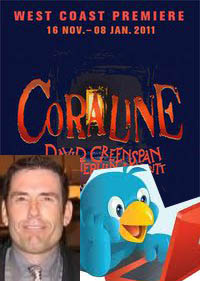
Twitter has also brought us some surprises.  During our last Pluggers session for the new musical Coraline, who should join in the tweeting but the author himself - Neil Gaiman!

Another wonderful thing happened during our Plugger session for Cormac McCarthy's The Sunset Limited.  We were about 40 minutes into the show and suddenly, someone from Twitter-land sent one of our Pluggers a direct message asking them a question about something they just tweeted.  That was a first for us.  We now had Twitter users from other places asking questions of our Pluggers during the show!  It helped me realize the scope this program.  Those interactions took the Playhouse Plugger program to a whole new, unexpected level.

Why do you think there has been so much controversy and debate about the program?

Many theatre people are afraid of the "new."   Technology scares a lot of folks.  We're taught that theatre is a revered place where you come, sit, watch, and applaud.  Interaction is not allowed or encouraged.  So when you create something that breaks down a wall, people are going to jump up and say, "Not in my backyard!"  Here's the bottom line...the Playhouse Pluggers program is not going to end the world or change theatre as we know it.  This program will not cause thousands to run out and start tweeting during Romeo & Juliet.

Theatre is about change...about evolution.  The basic nature of theatre requires us to adapt to the new, or else we would be going to see plays by Euripides on Broadway.  Theatre is a shared experience and this program is just a way to let the theatergoer have voice in the theatre going experience by sharing their thoughts.  That's it..it's a very simple concept.

In an article earlier this year, Theatre Bay Area quoted Artistic Director Bill English as saying of the program, “It’s an experiment. We're trying to check out the balance between social media and theatre.”  Eight months into the experiment, what has SF Playhouse learned?

We have learned that social media (Twitter, Facebook, YouTube, Skype, etc.) has become a major force in everyday life.  It's here to stay.  We've also learned that people love to discuss theatre using these platforms.  It can connect a theatre fan in England with a theater fan in the US instantly.  If anything, social media has opened up lines of instant communication that never existed before and encourage discussion.

I'm happy to share my knowledge about this progam with all!  Feel free to contact me at Dan@SFPlayhouse.org

This has lead to the creation of citizen critics. Everyone today has a voice and the ability to broadcast their thoughts. With the demise of print and media criticism, theatre needs to find and cultivate these new voices that will talk, criticize, and promote.

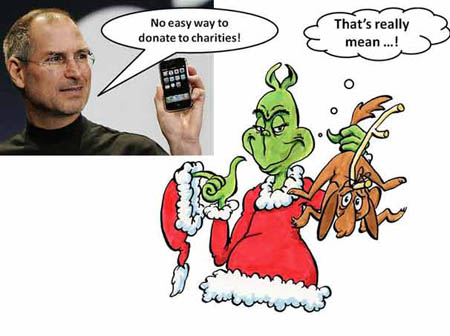
Charitable Donations and the iPhone: What the App, Man?

As the year draws to a close and there is the last, big push for donations by non-profits, who wouldn’t love a one-click, donation button in their app on the iPhone? Well, Apple apparently. There has been some buzz lately over Apple’s policy towards charitable giving on the iPhone.

Photo from PC World
Photo from PC World

Apple’s policy is that charitable donations cannot take place within an app or through Apple’s app store. If users wish to make a donation, they have to be directed out of the app, through their web browser and may have to contribute additional information. While this may not seem like a huge deal, it does kind of ruin that wonderful impulse that a nice, big red “DONATE NOW” button would have.

So why hate on the big, red button? The answer from Apple has been that they do not want to be responsible for the charitable funds reaching their final destination. But as Jake Shapiro pointed out in a blog post on ars technica:

The excuse that “Apple doesn't want to be held responsible for ensuring that the charitable funds make it to the final destination” is a cop-out. Google Grants has tackled this already, and organizations like TechSoup and Guidestar do a sophisticated job of authenticating nonprofits and charities worldwide.

The  real reason may be that charitable donations are just of no interest to Apple. Apple receives 30 cents for every dollar spent in their app store and with a charitable donation, would only be able to claim a processing fee.

While companies like Google and Microsoft have been quick to point out that these problems do not exist with their mobile software, I don’t think this is about finding the one mobile software that perfectly serves the non-profit community. This current stink with Apple more clearly shows the importance of not putting all your eggs in one basket when it comes to developing an organization’s mobile strategy. If you want to voice your displeasure with Apple's policy, an online petition has been started over at care2 and it will be very interesting to see if and how Apple responds.

Where Can I Park for the Show? Now, There's an App for That

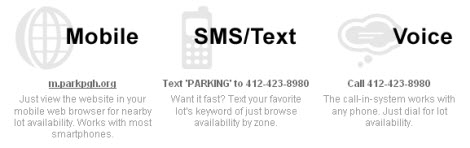
ParkPGH-1As a denizen of downtown Pittsburgh, I am well aware of how difficult it can be to find a parking spot when I go to the theatre, a gallery crawl, or the symphony. You end up driving to various parking garages only to find a "Lot Full" sign at the entrance. In a brilliant bit of service to the arts organizations in the cultural district, the Pittsburgh Cultural Trust has created ParkPGH - a multi-platform service providing real-time parking availability information for eight garages in downtown Pittsburgh.

Here are two key reasons why I find this to be a brilliant service:

Addressing a community challenge: By creating ParkPGH, the Pittsburgh Cultural Trust has provided a solution for an issue impacting not just audience members for its own venues, but also audience members for a multitude of arts and cultural organizations not affiliated with the Trust, as well as employees and visitors for other businesses in the downtown cultural district.

Multiple ways of accessing information: The Cultural Trust worked with developers at Deep Local to create a multi-platform service, so that audiences have multiple ways of learning about available parking options.  In addition to the iPhone application, ParkPGH has a mobile website, a traditional website, and both text and voice option -- thereby offering the service to anyone with a phone or access to the Internet.

ParkPGH-2

Did I mention that the parking availability information is updated every minute? A key layer of the service developed in collaboration with Traffic 21,  a multi-disciplinary initiative of Carnegie Mellon University directed from within Heinz College, which provided research capabilities and back-end support for the ParkPGH project.

So, thanks to the Pittsburgh Cultural Trust for making it easier and more convenient for me to find a parking spot in the cultural district! Hopefully, this idea will catch on in other cities.

New Poll: What's Your Favorite App for the Arts?

As 2010 rolls to a close, Technology in the Arts wants to know: What were your favorite arts-related mobile apps of the past year? Which apps this past year were the best? The wackiest? The most engaging? Take a second and click the link below to let us know. Enter the name of the app, the platform you use it on (iPhone/Android/etc.), and why you think it's the best of the best. We'll be taking the most popular app choices and including your comments in our year-end app wrap. logoCreated in 2005 as a grant-making and arts advocacy group based, United States Artists (USA) acts as an avenue for individual artists to find private funding for themselves and their projects.  Earlier this month, they entered into the foray of crowdfunding platforms with the launch of the USA Projects, a fund-raising engine that is specifically focused on funding individual artists and their projects through grassroots micro-donations.
Part social network, part fund-raising vehicle, the USA Projects site combines many aspects of other popular crowdfunding sites like Kickstarter, RocketHub, and IndieGoGo.  While still in beta testing, the site has already garnered some major attention according to The New York Times:

In testing, the Web site attracted roughly 36,000 unique visitors and raised a total of $210,000, with an average of $120 from each of 1,500 small donors, Ms. DeShaw said.

Not bad at all for a recently launched crowdfunding platform for the arts. Still, there are some major differences between USA projects and the other crowdfunding sites out there. Here’s a look at some of the similarities and differences between USA Projects and its peers:

Similarities

  • It’s all or nothing, baby – Like Kickstarter and Rockethub, USA Projects adheres to the “all or nothing policy” wherein projects must meet 100% of their stated fundraising goal, or the funds are returned to their respected donors.  Some people have seen this as a great motivator for their projects, while others claim it is a waste of time. This isn’t true of every platform though, IndieGoGo allows people to keep all funds contributed to their projects, even if the final fund-raising goal has not been met.
  • The final countdown – As is common on crowdfunding sites, artists on USA Projects have three months in which to raise the money for their projects.
  • Getting friendly – Most of the platforms out there have a social media element to them, and the USA Projects site is no exception. Users on the site can create profiles, follow artists and funders, send messages, leave comments, and view recent activity on the projects they have funded or have an interest in. This creates a more personalized experience as well as a stronger connection to the projects and the artists.
  • Incentivizin’ – Crowdfunding sites mirror traditional donor campaigns in that different donation levels come with various perks and rewards.  Since the perks and rewards are determined by the artists, the endless possibilities are limited only by the artists’ capacity to deliver.  Rewards might range from a personal note from the artist to prints or video downloads of the resulting artwork, from private studio visits to the chance to sing back-up on the artist’s CD, etc.

Differences

  • At what cost? - In order to meet the bottom line, sites like Kickstarter and RocketHub will charge a percentage of the final funds and for the credit card processing fees. These fees can amount from 5-8% of a project’s total funds raised.  Since United States Artists is a not-for-profit organization, there is no fee attached to the projects.

    [Correction: According to an FAQ on the USA Projects Web site: "81% of every dollar pledged goes directly to the artist’s project, and 19% supports USA’s programs for artists and the site’s administration." So with this information, it appears that the percentage of funds received by US Artists is two or three times the percentage received by other crowdfunding sites. -- Hat tip to Justin Kazmark.]

  • Who gets to play in the sandbox? – Now we hit the major difference between USA crowdfunding and the other platforms out there: not just any artist can add a project to the site.  In order to appear on USA Projects, the artist in charge must have received a previous grant or award from a USA Project Partner or recognized organization.  Visit the main website here to view all of the recognized organizations and their award/grant programs.

This requirement for artists to have been granted a USA grant, or equivalent from a partner organization, in the past in order to pilot a project raises some interesting questions about this model of crowdfunding:

  • Is the policy too exclusive? Requiring grants or awards in order to even start a project excludes a large number of artists right off the bat. And while there are a considerable number of organizations partnering with USA, they do not cover the full spectrum of creative professionals in the United States.
  • Does the grant/award requirement go against the spirit of crowdfunding? One of the exciting aspects of crowdfunding is that virtually anyone can start a project and find the funders to make it happen.  So what happens to all the first timers? The energetic artists with a great idea and the will to make it happen, but lacking the professional background to make it onto the site? It can be argued that much of the success individuals have had on sites like Kickstarter can be attributed to the strength of the idea behind the project, not necessarily their past accomplishments.
  • Will having “approved” artists act as an incentive for people to donate larger amounts? There is definitely a reassurance when donating to an artist who has had some previous success and support. But most existing crowdfunding platforms already have the reassurance of returned funds and set time limits, so how big of an impact will having pre-approved artists make?  Will USA’s stamp of approval result in more donations or larger donations for these artists?

It will definitely be interesting to see how the USA Projects platform grows over time and if the requirements for projects will stay the same or evolve with that growth.  Additionally, how might this model for crowdfunding the arts affect other existing platforms?

Planning for Engagement: Tech Strategy & the Visitor Experience

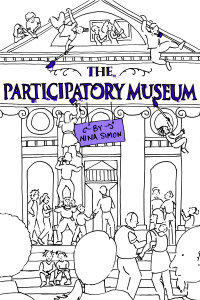
PMuseum Earlier this week, the Pittsburgh Children’s Museum hosted a talk by Nina K. Simon, author of The Participatory Museum and the Museum 2.0 blog. Simon works with museums throughout the country to develop programs for improving visitor engagement.
Simon brought up some great ideas about the ways in which museums could use programming to increase engagement and create meaningful experiences between visitors.  Might arts organizations be able to apply her ideas about museums when designing their own strategies with technology and social media?

Here are a few of her ideas from the talk and how I think they might be applied:

Museums should be seen as places for everyday use

Simon argued that many museums are seen as tourist destinations that have a long-standing stereotype of being a place to be visited maybe only once a year. This is also true for many other types of arts organizations.  Many of us would like to see that change and for arts organizations to become places that people consider frequenting practically everyday. Social media could be a strong tool for stimulating this impression. Offering frequent, engaging content online and creating a personal connection with our organizations’ constituents can help counter the idea that arts organizations are aloof and impersonal tourist destinations.  Social media offers an opportunity to communicate the frequent, sometimes daily offerings of your organization.

Museums should be trusted hosts for social experiences

Simon spoke last night about the success some museums have had with programs that involve voting, encourage competition, and prioritize face-to-face interaction between visitors.  Arts organizations could apply this idea towards utilizing social event sites like meetup.com, where the end result is a real-life, social interaction. Or this idea could be applied towards using such tools as real time tagging of artworks from any discipline or mobile device voting systems as a way to create conversation and interaction between visitors. The Indianapolis Symphony Orchestra went the mobile voting route when they had audience members vote, via text, to choose which encore the symphony performed.

Museums should be places for seeing and exploring as well as sharing and making

Another great way to engage visitors in a meaningful way is to encourage them to share their experiences of the organization with their friends and to create their own content. Social networking sites are centered on this idea of sharing experiences online and many organizations have taken advantage of this by encouraging their visitors to share photos and stories on the organizations’ social networks. The Vancouver Opera has a flickr fashion page that gives visitors who have “dressed to the nines” a place to shine online. The Mattress Factory’s iConfess is a confessional booth for visitors to express their ideas about the museum and publish those ideas directly to YouTube. Photos and personal experiences are definitely visitor-created content, but current technology can push this idea of participation even further. The success the Guggenheim had with YouTube Play, an online exhibition of user-created videos, and online projects like The Johnny Cash Project, where users re-interpret a Johnny Cash video by drawing over each frame, are two great examples.

As technology and social networks continue to expand and grow at a rapid rate, it’s hard to know which to develop programming for. These ideas presented at Ms. Simon’s talk can serve as great starting points to that conversation. As your organization moves forward developing technological programming, some questions should be asked, such as: Is the technology serving the end goal of bringing people to our institution? Is it helping to create a worthwhile experience for visitors, or is it just tech for tech’s sake? How varied of an audience can a particular technology or social network reach? Are there better, low-tech solutions to visitor engagement? New technology and advances in web 2.0 can offer powerful tools that can help expand audiences and increase visitor engagement, but remember to step back and look at which strategy best serves your organization's visitors and creates a meaningful experience.

Learning to Lead (and Follow) from Any Position

This article originally appeared in the Leading Creatively Blog Salon, a week-long exploration of leadership in the creative sector, hosted by the National Alliance for Media Arts and Culture.

LeadingCreativelyWhen I first entered the workforce after graduate school, I believed that leadership originated at the top of the organizational pyramid and flowed downward. My first two jobs reinforced this belief: the senior leadership set the agenda for the organization, provided directives to the staff, and neither solicited nor desired the input of the junior staff. We were solely there to follow…or so I thought.

In retrospect, I see that my professional life has always contained the simultaneous duality of leading and following. When I worked in entry-level positions, I followed my supervisor’s directives for actualizing the executive director’s vision in service of the mission. And I was happy to be doing it. Following the lead of the senior staff allowed me to learn a great deal about management and leadership in the arts. So where did I lead in those early days? In the organization’s blind spots.

Small and mid-sized organizations in the creative sector are often faced with human resource capacity issues. Everyone on staff tends to wear numerous “hats.” Correspondingly, there are always areas within these organizations in need of attention and innovation. Turning these blind spots into areas of opportunity takes three key leadership traits: vision, initiative and persuasiveness.

In my personal experience, the organizations that I worked with had significant blind spots in their technology infrastructures. Once I recognized this, I started envisioning ways in which the incorporation of new and/or different technologies could improve organizational efficiency, audience reach, depth of engagement, etc. Having the vision for change was not enough by itself, I had to take the initiative to approach the senior leadership and persuade them to pursue change via technology adoption.

As I rose through the ranks, those three traits remained pivotal for leadership. Now as an executive director, I have tried to consciously foster a working environment wherein other members of the staff are encouraged to lead. Obviously, this requires me to follow. When I first took on the executive role, I wondered if I would be one of those executives who just could not follow someone else’s lead. I mean, I was hired to lead, right? Wouldn’t choosing to let someone else take the lead in an area be shirking my duties?

Three years into the role, I know that the answer to this is “no.” We must embrace the duality of leading and following throughout our professional lives in order to foster and ensure the continuous development of our organizations and ourselves.

Fill in the ________: A New, Social Entertainment Website

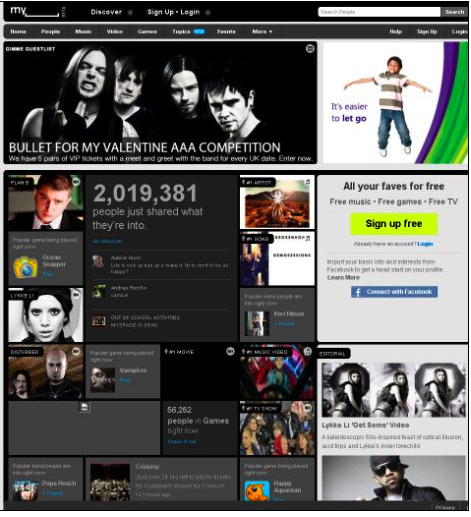
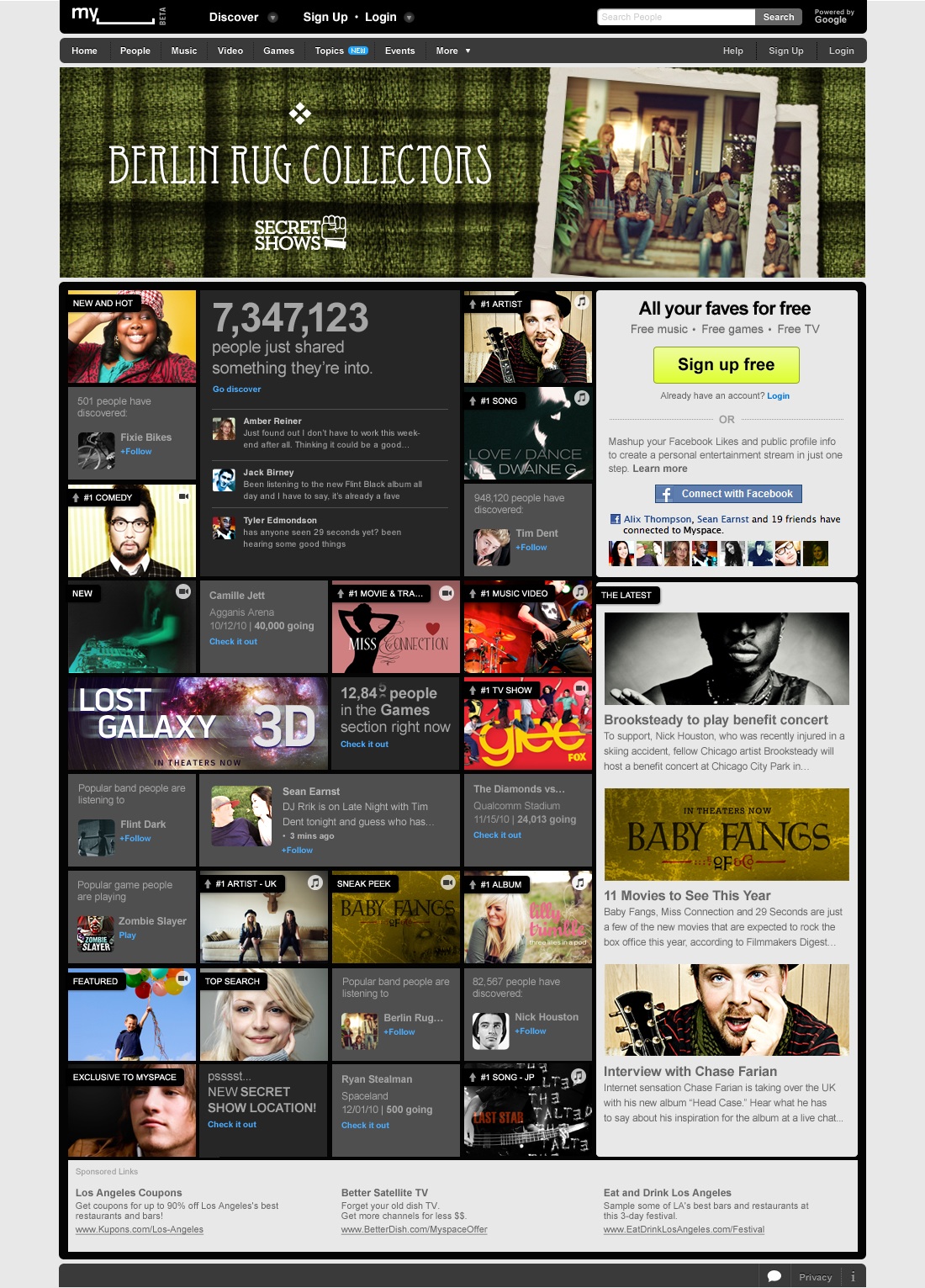
myspace-logo-225MySpace, the original social networking site, has relaunched and re-branded itself as My_______ ,the world's first “Social entertainment” website.  The purpose of the website has shifted from a social networking site motivated by the slogan “a place for friends” to a site intent on “becoming the leading entertainment destination that is socially powered by the passions of fans and curators.” Essentially, the new My_______ focuses less on people and more on media and digital content sharing. The sleek new site combines the most popular features of Facebook, Twitter, Foursquare, and Youtube into a single media focused platform. Users can now follow artists and organizations on topic pages, similar to Facebook fan pages, while receiving real time updates on the music, videos and content being heard, viewed, or uploaded by them (very reminiscent of Twitter).

In this way, members will be able to see what music their favorite opera company is listening to as well as what they are posting. Users will be shown the media that their friends are consuming, not just the media that their friends and topics are posting. It opens a new opportunity for media recommendations, community building, viral marketing, and content sharing.

These updates appear on the new homepage now referred to as the dashboard which can be viewed in three modes: list, grid, or full screen.

The list mode looks almost exactly like a Facebook news feed.  The grid view integrates watchable videos, playable songs, pictures, and micro-blogs in a chronological collage of media tiles, and the full screen mode allows users to experience their media updates in an interface similar to iTunes coverflow.

Picture 3

My_______ has combined multiple features from across the web  that have never been offered in tandem before - creating a unique media viewing and sharing experience.  Some of the other new features include: interactive games, karaoke (Opera?), free music playlists creation (competing with Pandora?), and media trending.

The new interface and combination of features could prove very useful to cultural institutions and arts managers if the user base is willing to readopt a floundering platform.

The largest obstacle for the new My______ is the old MySpace.  The relaunch comes after one of the worst years in the company's history.  MySpace lost 50% of its user base between 2009 and 2010, a critical hit for the organization and a terrible loss for its functional use as a communications tool and social network.  The new My________ is much more in line with Internet usage interests and behaviors of Millenials, but it is not yet clear if they will return to the site.

Connect with FacebookIn order to make the transition smoother and help regain customers, My______ has paired with Facebook to create what they are calling a mashup, in which My_______ takes all of a user’s profile information, friends, and likes from Facebook and imports them into a My_______ page; making the process of setting up a new functioning account much quicker and helping users grasp the changes and full functionality of the site much faster.  This partnership bodes well for My_______ and provides a clear focus away from social networking and onto new media and digital content sharing.

For arts organizations and non-profits that are currently tweeting links to content on Twitter, uploading videos to YouTube, and sharing pictures and events on Facebook, the new My_______ offers a single platform that will combine all three. A one-stop shop for all of your social entertainment and digital media needs. The ability for pictures and videos to appear directly in a news feed like Twitter but with a usable interface like Facebook is very desirable and something that I believe has huge potential.  Pairing the interface with the content and media focus allows for a more streamlined experience that is not diluted by the social aspect of Facebook and Twitter.  The New My_______ is definitely trying to steer away from content that does not surround music, media or artists in some way.

The ability to create opera karaoke, post audio excerpts from a concert, or share video from a stage production or event that are instantly previewable and clickable in a media focused feed that is more graphic than Twitter, less convoluted than a YouTube subscription, and easier to deliver than Facebook is very enticing.  If users begin to adopt the new My_______, it seems only natural for organizations to follow. Only time will tell if this snazzy new facelift will take off, but the potential is definitely real.

Tracking Direct Marketing with GURLs & PURLs

Direct marketing campaigns are notoriously difficult to track in terms of ROI and effectiveness.  It’s hard to know which of your organization’s communications best reaches your audience, the artfully designed postcard and brochure or the large billboards and posters placed throughout your area. Organizations usually have to rely on methods such as surveys and historical estimates to track the effectiveness of their marketing campaigns. One possible solution to this tracking problem is to utilize customized URLs with your organization’s marketing efforts. When someone clicks on a custom URL, they are directed to a custom landing page seperate from your organization's main site and specific to your marketing campaign and can be individually noted using online analytics. There are two types of custom URLs currently available for marketing campaigns (and also great for puns): GURLs and PURLS

PURLs or Personal URLs will include both a message specific to your marketing campaign and the recipient’s name inside the URL. They are totally custom and best fit for E-mail and direct mail campaigns. PURLS contain the recipient’s name generated from your organization’s mailing list and leads to a custom landing page that can offer content specifically tailored for that person. For example, if Technology in the Arts were to have a membership campaign, our PURL would look like this:

www.ThomasHughes.JoinTechnologyInTheArtsToday.com

GURLs or General URLs are the more generic version of a PURL, usually including just a campaign name, but offer the same advantage with tracking. The landing pages are also more generic and the ability to customize the offer based on who clicks the link is lost. GURLs are a better fit for marketing efforts like signage, billboards, and print advertisements. For instance, say I wanted to use a custom URL for a newspaper advertisement for our website’s membership campaign; the GURL would look like this:

www.YourTechnologyInTheArtsMembership.com

If your organization decides to try out utilizing either GURLs or PURLs, or both, in its next direct marketing campaign, here are a few things to consider when choosing a service:

Cost – According to easypurl.info, the cost of a PURL can range from 4 cents to 12 cents per purl. The price varies based on the amount needed. For example, a campaign using about 10,000 PURLs can average about 10 cents per PURL.  This is a case when you might want to go with a less personal, but less expensive, GURL. For both PURLs and GURLs, there is usually a setup cost for both the template and landing pages to which the custom links are directed.

Lifespan – These custom links won’t last forever, so this is an important question to ask when choosing a service. GURLs tend to have a longer lifespan that PURLs, which contributes to them being better for instances like billboard and signage where you are trying to reach a less specific audience.

An example of the PURL analytics data taken from getsatisfaction.com
An example of the PURL results and ROI tracking data taken from getsatisfaction.com

Data – What kind of tracking abilities comes with the URL service? In a recent post, we discussed the advantages to using custom URLs for tracking a variety of metrics using Google Analytics. Check into the kind of metrics that are offered and how well you can import, export, and integrate the data into your current database.

7 Steps to a Successful Facebook Ad Campaign

Finding new sources of traffic for a website or social media profile can be a challenging task for both novice and experienced web marketers.  Facebook Ads are powerful, yet often-overlooked, tools for internet marketing campaigns. Here is a quick overview of Facebook Ads' benefits:

  • Increased Exposure: Facebook continues to be the #2 ranked website in the world for web traffic according to Alexa.com.  Of the top 5 highest-traffic websites in the world, users spend more time on Facebook than any of the others.
  • Increased ROI: Facebook Ads are 25-50% of the cost of running a Google Adwords campaign.  A Google Pay-Per-Click campaign can sometimes cost $1 per click.  A typical conversion rate (from clicking to taking action) would be 2%.  Spending $3,000 for 3,000 clicks therefore, may only result in 60 people taking action (opting in for your email list, purchasing tickets to a show, making a donation, etc).  A similar campaign on Facebook Ads would cost around $10 for 1,000 clicks. You can also choose to run a CPM campaign which calculates a cost based on how many 'impressions' you want to make on users. Impressions are geared more for marketers who want to raise awareness about their brand. The Search Engine Journal provides more insight into this topic. Here's a great visual from their article.

Note: Geo= Geographical Segmentation and Keywords= the word or phrase a user types directly into a search engine. Facebook Ads can only target what someone has already indicated they are interested in (theatre, live music, art galleries, etc).

  • Targeted Demographics:Facebook Ads provides a precise way to segment your market. From musical interests to relationship status, there are an endless amount of ways to run a market segmentation. Here is a detailed listing of your targeting options.
  • Less Competition: Facebook also has an advantage when it comes to your levels of competition. Facebook has an estimated 1/20th of the advertisers that Google has. Here are some other fascinating statistics from the internet marketing blog HubSpot.

If you're considering running a Facebook Ad campaign or are struggling with your current campaign, here are seven steps to help you make the most of your efforts:

1. Run More Than One Ad: As Robert Gore discussed in our latest podcast, it's a great idea to run 5 or more ads for each market segment you choose. Test each ad's performance to see which one has the highest success rate.

2.Choose a Compelling Image: Keep in mind that, unlike Google, the Facebook audience generally isn't logging on to shop for products or services. You must engage a user from the start. This process begins with your headline and image. Here's a great image from an ad run by the Pittsburgh Public Theater. The image conveys high energy and enthusiasm and raises curiosity about the show.

3. Direct Traffic to a Relevant Landing Page: Make sure that the landing page users are directed to after clicking through on your ad is relevant to what was being advertised. Consistency is key. It's up to you to select the most appropriate landing page. It could direct traffic to an outside website or to your Facebook Fan Page. Landing Tabs on your Facebook page can be particularly effective. For more information on creating a Landing Tab, you can refer to Facebook's Help Section or listen to our webinar recording on making the most out of your Facebook page.

4. Optimize Headlines: Marketing Experiments blog author, Hunter Boyle, suggests that the objective of your headline is "not to sell but to connect with your reader." Here's a great article that expands on this principle. One of the best ways to engage your reader is to pose a question in the headline.

5. Consider Your Targets Carefully: In the first tip, we recommended running more than one ad. It's a great idea to test your ads on different market segments too.

6. Make a Compelling Offer: If you are more concerned about click-through rates as opposed to impression levels, then you should consider making a compelling offer in the body of your ad. Just be sure that the landing page follows up on this offer.

7.Track Your Results: Some internet marketing experts, like Ryan Deiss, suggest you should delete any ad with a  click-through rate below 2% after a week of running it. This may not apply if you're more concerned with making an impression. Always be mindful of your campaign's goals and re-calibrate your strategy accordingly. Small business expert and author, John Jantsch, suggests using Google Analytics and Google's URL builder tool to monitor the effectiveness of any ads that direct people to a link outside of Facebook.

Update: 

For a step-by-step video on making a Facebook Ad, check out our mini-nar: Making Facebook Ads and Diving into Analytics.

Exhibiting Online with Open Source Software

LogosHas your organization been giving some thought to creating online components for its upcoming exhibitions? The demand for having exhibition-related content available online is not only increasing, it has grown into an expectation. Web publishing can be a costly process for many arts organizations, especially if a web developer and designer is required for each exhibition.  A more cost-friendly alternative is to consider using open-source, publishing software for creating collections and exhibitions online. Here are two currently available, free downloadable options designed specifically with cultural institutions in mind:
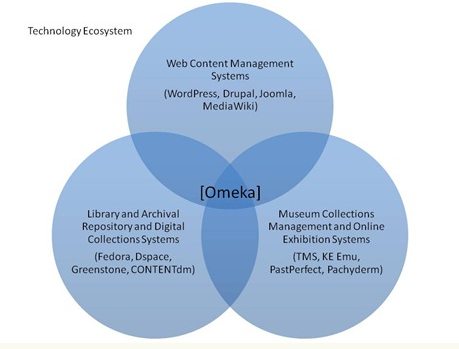
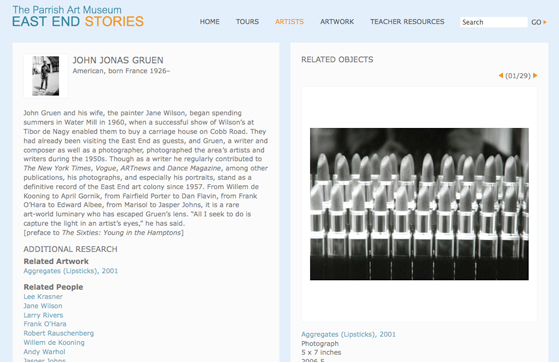
Omeka – Launched this past year, Omeka was designed by the Center for History and New Media at George Mason University. Omeka features a variety of themes and plugins while offering a management system similar to that of the blogging site Wordpress. Here is a great video tour of the software.

Collective Access – Also utilizing a management system similar to many blogging platforms, Collective Access was developed by software firm Whirl-i-Gig in 2007. Click here to demo the software.

Both sites offer links to exhibition sites built with their software, which are worth checking out to see what’s possible using these open source systems.

So what is open-source software, anyway? A software is considered open source when the firm who created the software makes the source code available to the public and opts out of certain other copyrights that are normally reserved.  This means that any user can alter, customize and develop for that software as they sit fit to meet their project’s needs. An important thing to keep in mind is that in the tradition of open source software, the user must share this new, modified code with the public as well.

Before your organization goes forward with publishing an exhibition or collection online with this kind of software, there are some questions you should consider:

What is the user experience like?

No two web publishing software systems are exactly alike, so make sure to take a detailed tour before committing to one.  A clean and simple user interface will drastically shorten training time for your staff and save a lot of future headaches if you pursue more complex projects. Omeka and Collective Access are both strong examples since each offers a blog-like user-interface specifically designed with cultural institutions in mind.

Omeka offers services that cover a wide range of needs for cultural institutions

Omeka offers services that cover a wide range of needs for cultural institutions

An example of how Collective Access allows you to build relationships between items in your online collection.

An example of how Collective Access allows you to build relationships between items in your online collection.

How much storage will you need?

What kind of content and media will your project involve? What kind of storage and back-up will be needed? Remember that server space is essential, whether it’s your organization’s internal server, a web-hosting service’s server, or buying some space from a server provider online. In addition to their software, Omeka offers a web-hosting service with different plans priced according to number of sites and the amount of storage needed.

How easy is it to customize?

This goes back to the importance of taking a detailed demo of the software. Many of the platforms have multiple themes available to make the task of designing your organization’s site a lot easier. However, you should test the platform to determine how difficult it will be to change those themes and customize them to fit your organization’s unique brand image without requiring the help of a web designer.

What kind of support is there for the software?

When an open source software is downloaded and installed on your server, all of the support and maintenance responsibilities for that software rests with your organization. A server provider will be able to fix bugs and issues specific to your server, but maintaining the software is up to you. Omeka and Collective access offer extensive documentation and guides as well as online forums, but support and troubleshooting are left to you. This is one of the advantages to Omeka’s hosted option; they will provide service support for both server and software issues.

How is the software upgraded?

When the system you use comes out with a new version, who installs the upgrade? How easily can an upgrade in the software be installed and configured? With both Omeka and Collective Access, the users have to manually perform the upgrades, but extensive documentation and guides are provided. This is another benefit of a hosted service option like Omeka.net; they will install and configure software upgrades for you.

So while these open-source, publishing software systems are free, there are some costs to consider.  Be sure to do your research in order to determine if these open source tools will meet your budgetary and technical constraints for experimenting with online collections and exhibitions.

Four Quick Tips for Launching a Crowdfunding Project

Broadway producer, Ken Davenport, recently surprised the theatre world with his decision to launch a crowdfunding campaign to produce a revival of the musical Godspell. The ambitious project is hailed as the "first-ever community-produced Broadway musical" and will probably not be the last of its kind. Crowdfunding, it seems, is here to stay. Crowdfunding is essentially the pooling together of financial resources via the internet. Typically, the project manager solicits financial donations from the public via a web-based platform. Crowdfunding can be used to fund just about any type of project, whether its reviving a Broadway musical or financing a band’s studio time. While the idea of pooling together financial resources from the larger community to fund an artistic project is certainly not a new model, the internet is putting a new twist on things.

Here are 4 quick tips to consider before you or your organization embark on a crowdfunding campaign:

  1. Choose an Appropriate Platform: There are many platforms to choose from for your crowdfunding campaign. Kickstarter and IndieGoGo are two of the more popular platforms. However, it's not always necessary to sign up with a third party. It is possible to launch a campaign through your own website, but strict securities and exchange commission regulations may make this option trickier. It's important to gauge the specific needs of your project and organization prior to choosing a platform.
  2. Be Aware of All-Or-Nothing Policies: If you decide that a platform like Kickstarter or IndieGoGo is the best way to go, then take the time to become familiar with their policies. Platforms like Kickstarter and Rockethub have an "all or nothing" policy that requires a project to meet ALL of its stated fundraising goals in order to receive any funds.  If a project falls short, then no money will be collected.  Other platforms like IndieGoGo allow you to keep the funds you raise, even if you do not meet your fundraising goal.   Some artists and groups find Kickstarter’s “all or nothing” structure to be a great motivator.   Others consider it a potential waste of time if their goal is not met.
  3. Consider the Legal Ramifications: While services like Kickstarter and Indie GoGo make it virtually painless to launch a campaign, it's always a good idea to make sure your legal ducks are in a row. Depending upon the complexity of the offer, you may need to meet particular requirements.  Since the donors are considered investors in the Godspell production, Davenport's offer had to be reviewed by the Securities and Exchange Commission before it could be presented to the public.
  4. Read the Fine Print! Some platforms do have fees and other hidden costs associated with their services. Take the time to understand the economic model that the service is operating on -- fee structure, donation collection process, funds disbursement, etc.

Giving Thanks for Your Fans

Thursday marks that wonderful time of the year when we gather with friends and family, give thanks, and have a perfectly valid excuse to eat too much food and take a nap. So in this time of giving thanks, has your arts organization thought about how you give thanks for your online communities? Offering ways to thank and reward your organization’s online community is an important part of online social engagement. It reinforces for your followers how much you appreciate while giving them great incentives to spread your brand. These rewards can span from offering exclusive content only available to your online fan base to having something tangible like a specific event or rewards day at your organization focused on your online community.

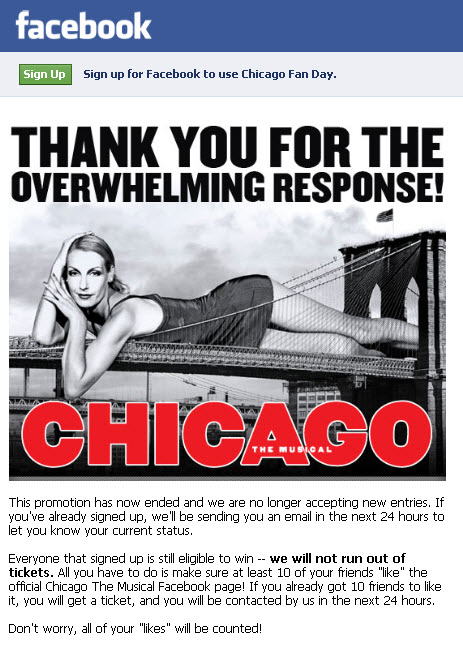
Take for example the recent move by Barry and Fran Weissler, producers of the musical Chicago, to reward their Facebook fans. On January 30, 2011, Facebook Fan Day will mark the first time that a Broadway show will fill its house exclusively with their Facebook fans -- for free.  Yes, the tickets were free, but they were not simply first come, first served. Tickets were distributed chronologically to those people who got ten of their friends to “Like” the Chicago Facebook page.

Facebook Fan Day generated quite a bit of buzz and interest in a production that has been running for 15 years.

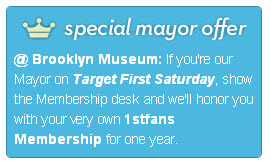
Brooklyn Museum's special offer on Foursquare

While an idea like Facebook Fan Day is a great way to reward and expand your organization’s online presence, it doesn’t necessarily need to be a one-time offering. The folks over at Brooklyn Museum have included an on-going rewards program for their Foursquare community. By becoming Brooklyn Museum’s "mayor" on Foursquare during their First Saturday social event, a visitor can receive a free one year membership for their 1stfans social event program. One advantage to using a location based platform is that it requires users to be present at the event in order to and claim the reward. Rewarding your social media fans can increase their loyalty to your organization, give them some incentives to get through the door and create more advocates to spread your brand.  What does (or could) your organization do to give thanks to members of your online communities?

Google URL Builder - Deeper Tracking for Your Analytics

Google Analytics has emerged as the industry's leading tool when it comes to web analytics.  The platform's easy installation process, in-depth reporting features  and user-friendly interface make it a marketer's best friend.  Among the many reporting features in Google Analytics is the ability to chart where your website's traffic is coming from. Google URL Builder is an often overlooked platform in the Google toolbox that can help organizations measure the effectiveness of their web presence. URL Builder is primarily tailored for tracking internet campaigns that fall outside of the pay-per-click or Adwords realm.

Here's a quick overview of URL Builder:

  • Works in conjunction with Google Analytics to provide advanced metrics for measuring the performance of a specific URL that you will “build”.
  • Allows you to  chart the traffic for particular pages within your website and determine which communications channels provide stronger traffic per page.
  • Allows you to enter tags for detailed tracking, particularly Campaign Source, Campaign Medium, and Campaign Name.
    • Campaign Source indicates the originating source of the traffic.  Does it come from your organization?  Is another organization promoting a web link on your behalf?
    • Campaign Medium is useful for charting how much of the campaign's traffic comes from different locations.  Did the traffic come from e-mail, web ad, Facebook, Twitter, etc.?
    • Campaign Name is a short description for the campaign - often one to three words and often a distillation of the link's page title.
    • Google processes this information and provides you with information about the performance of your unique URL including its bounce rate and conversion

For example, here's the information that we will assign to a URL campaign for the article you are currently reading:

  • Campaign Source: tita -- We use "tita" to indicate when Technology in the Arts is the originating source of the traffic.
  • Campaign Medium: twitter -- The medium area is where we indicate if a link will be shared on Twitter, in an e-mail, on our Facebook page, etc.
  • Campaign Name: GoogleURLBuilder -- Typically, we use a shortened version of our article titles as campaign names for analytics.

Let’s consider some practical applications:

Web Content: It could be very helpful to see how fans and followers on your social media profiles compare and contrast in terms of their interaction with your blog posts, event listings, etc. Simply build a URL for each campaign medium to which you distribute your web content links (Facebook, Twitter, LinkedIn, etc.) and see how your links perform across various sites.

Email Announcements and Newsletter Campaigns: Another useful application could be for tracking the performance of URLs in your email announcements and newsletter campaigns. You would simply enter ‘newsletter’ into the campaign source option. For smaller organizations or independent artists who do not utilize broadcast email service providers (like Constant Contact), Google URL builder could prove to be a viable alternative for tracking traffic deriving from e-mail communication.

Helping Others: When conducting an interview or mentioning another link on your blog or website, consider contacting that person and asking them if there is a specific URL you should use in your post (in case they have a campaign name established for that page). This will make it easier for them to track how much exposure their blog, website or the interview received based on your posting it.

If they do not have a customized URL for you to use, it is still a great idea to create your own.  Because the web page is being tracked within their Google Analytics data, the campaign data (source, medium, name, traffic information) will appear in their reports.  If you share multiple links from the same website, then using URL Builder for each link you share will allow the organization to see if particular links were more interesting to your communication recipients and site visitors.

Google URL Builder Best Practices

  • Always take time prior to setting up a campaign to consider your ultimate goals. Which sources and media will you need to track?
  • Reach out to other organizations and bloggers prior to posting a link to their information in your post.  They may provide you with a customized URL designed for their Google Analytics campaign reports.
  • Consider if any adjustments should be made in your email, social media and overall web campaigns as a result of the data you collect.
  • Spread the word! Share URL Builder with your colleagues to make sure that everyone on staff uses the correct URLs when sharing links.

Want to learn more? Check out our mini-nar:

Using Google URL Builder to Track Your Website's Traffic

.

NAMP 2010 - Day Three - Chip Conley and Providing the Peak Arts Experience

To conclude the 2010 National Arts Marketing Project Conference, Chip Conley delivered an inspired closing plenary to encourage arts organizations to provide "peak" experiences based upon their audience's hierarchy of needs. Conley is the author of Peak: How Great Companies Get Their Mojo from Maslow, an arts lover, as as the founder and CEO of the Joie de Vivre Hospitality. In his address, Conley shares his unique prescription for success based upon Maslow's classic Hierarchy of Needs. Conley illustrates how audiences are ultimately motivated by peak experiences and discusses how arts organizations can give those experiences to their audiences. Americans for the Arts streamed Conley's presentation live via Livestream. The recorded version is embedded below. (Skip to the 16 minute point to get to Conley's presentation.)